

- Getting Started
- Postman Setup
Getting Started
Postman Setup
Download and configure the pre-configured Postman collection and environment.
To facilitate testing and exploration of the Remitian Public API, we provide a pre-configured Postman collection. Follow these steps to set it up:
Prerequisites
- Postman Installed: Download and install Postman from postman.com/downloads
- API Credentials: Have your credentials ready (received from support team)
Setup Instructions
1. Download Collection Files
- Postman Collection & Environment: Download here
2. Import into Postman
- Open Postman
- Click “Import” in the top-left corner
- Select the downloaded collection and environment files
- Both files will be imported into your workspace
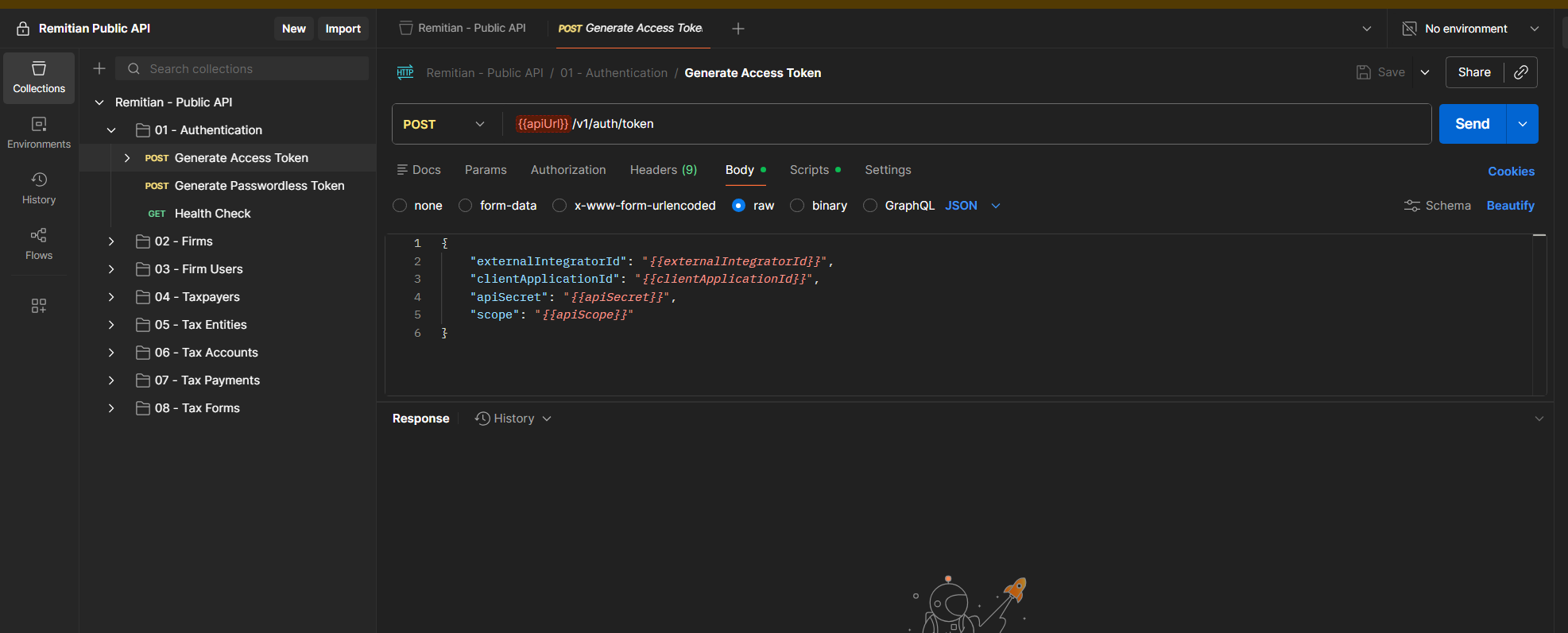
3. Configure Environment Variables
- In Postman, navigate to the “Environments” tab
- Select the imported Remitian environment
- Update the following variables with your credentials:
| Variable | Description | Example |
|---|---|---|
externalIntegratorId | Your External Integration ID | 019bc3f4-d65e-73f7-8133-f5800e825509 |
clientApplicationId | Your Client Application ID | 019b2952-c553-7a93-ba57-d3baf8e09cb0 |
apiSecret | Your API Secret | sec_8499e437... |
apiKey | Your API Key | api_019bc3f4... |
apiScope | Token scope for the access token request | allfirm:{firmId}firm:{firmId}:firmUser:{firmUserId}taxpayer:{taxpayerId} |
apiUrl | Environment base URL | Sandbox: https://public-api.sandbox.remitian.comProduction: https://public-api.remitian.com |
Important: Start with the Sandbox environment (https://public-api.sandbox.remitian.com) to test your integration safely.
4. Authenticate
- In the collection, find the “Get Access Token” request
- Click “Send” to execute the request
- The access token will be automatically stored in your environment variables
- All subsequent requests will use this token for authentication
5. Verify Setup
- Find the “Health Check” request in the collection
- Click “Send” to test the API connection
- You should receive a successful response confirming your setup is working
Collection Structure
The Postman collection includes organized folders for:
- Authentication - Token management requests
- Firms - Create, and read firms
- Firm Users - Create and read firm users
- Taxpayers - Manage taxpayer information
- Tax Entities - Manage tax entities associated with taxpayers
- Tax Accounts - Manage tax accounts associated with taxpayers & tax entities
- Tax Identity Verifications - List connection types and create, get and list tax identity verifications of tax entities
- Bank Accounts - Manage bank accounts associated with taxpayers
- Payment Types - List the available payment types
- Tax Payments - Schedule and manage tax payments
- Tax Payment Batches - Submit tax payment batches and read their items
- Tax Forms - Import tax forms and manage their status
Need Help?
Our support team is here to assist you:
- Email: support@remitian.com
- Response Time: Within 1-2 business days
For detailed API documentation, see our Authentication Guide and Use Cases.